Joel Nichols, soon to be the driver of the new Tech Mobile at the Free Library of Philadelphia, has been using iPads in his children's story time presentations. He believes there are numerous other applications that may also be made throughout his library, which he described in his well-attended PLA presentation "iPads in the Library: From Tech Programming to Staff Productivity."
To start, he briefly identified the differences between current smartphones, e-readers, and tablet computers, pointing out that tablets have the greatest potential for library use. Then he limited his discussion to iPads and iTouchs with which he has experience. He began with use in children's programming. His first point was, of course, that librarians may read from iPads to children, but he cautioned us about this application. An oversized print book is easier to share with a group of more than two or three listeners, but the iPad is still a good device for Kamishibai stories told with pictures that a presenter has assembled using PowerPoint or the Slide Shark ap. With a supply of iPads, all the kids could create their own picture-based stories and then share them.
iPads may better serve in secondary roles in programs. Should the librarian or other presenter need music or sound effects, they can quickly be stored, cued, and played from an iPad or iTouch. A tablet could also be used as a digital display for photos, animations, or web pages that could be passed around to attendees during presentations. iPads could provide reference help during cooking lessons or craft programs, used by presenters or participants. Last, but not least, programs could be recorded easily using a tablet's camera and microphone and then quickly loaded to YouTube.
According to Nichols, there are over half a million aps for iPhone and iPad, which may be purchased through the iTunes store. These might provide content or be productivity aps. He showed stills from his work with Puppet Pals. He recommended checking user ratings at the iTunes store as well as checking Flipboard, a magazine for educators using aps. If libraries have complicated procedures to make credit card purchases, he recommend using iTunes gift cards. Most aps cost under $5.
Beyond programming, reference librarians may use iPads to access the library catalog, web pages, and online databases while roving the library. He recommended strapping an iPad to the hand to become an object of curiosity. He has found librarians in a public setting reluctant to carry iPads that they might drop or lose. A strap might help with the carrying. School librarians might carry iPads instead of laptops when going to help in classrooms.
A librarian at the program reported that the District of Columbia Library has developed an ap to assist weeding collections.
Because they display photos so nicely, Nichols said mounted iPads would be good in public displays. iTouchs with cameras may be used to read QR codes posted around the library for patron self-guided tours.
He said that their use instead of laptops in projected programs has been problematic so far because special connectors have to be used and some equipment seems incompatible. It might be better in some situations to use Apple TV for presentations. Some members of the audience reported having no problems connecting an iPad to a projector.
Finally, he said with an ap to record handwriting, the iPad is a great devise on which to take notes during conference programs.
Nichols has put the slides to his presentation on the web at tiny.cc/nicholsPLA.
Showing posts with label technology. Show all posts
Showing posts with label technology. Show all posts
Friday, March 16, 2012


Monday, August 29, 2011
Are Compact Discs Disappearing? What Do I Do?
Just about six weeks ago I had the thought "I certainly won't be buying many more music CDs." I was beginning to believe the omens of the compact disc's demise.
While I have had iTunes on my computers for about five years, I have still never purchased anything from the iTunes store. It seems like such a bad precedent to set. Instead, I have loaded many of my CDs into iTunes and from there put some of these onto my iPod. As nice as it is, I have never really listened to this music much except during the short, intense spring gardening season or on a trip. I seem to use the iPod more for listening to free podcasts that I download and audiobooks that I borrow from libraries. I still like my CDs in the car or in my portable player. It just seems the right package to me.
Still, I heard the death bells ringing and thought "I have plenty already. I really never need another CD. I can rotate what I have as long as I am still able to get a player." Enough is enough.
Of course, this is not an absolute pledge. I host the Friday at the Ford concerts at my library. We have a great variety of very talented musicians come, and they almost all bring CDs to sell. I have built a nice collection of CDs of musicians that I have not only heard live but have met and like as people. I know that I will continue to get several every year as long as musicians hand sell their CDs.
So I spoke with one of our library's shelvers the other day. When did he last buy a CD. At sixteen years of age, he has never purchased a CD. I hear a deep resonant dong.
So, what have I done since I had my thought?
 In mid-July, I attended a free Sunday afternoon concert at Cantigny Gardens in Warrenville with friends. (There was a fee to enter the park.) The attraction was Guitarra Azul, a contemporary flamenco-inspired band with two guitars, a bass, and three percussionists. Their original music was really exciting, and I bought two CDs, Mariposa and Oasis. They sound really great in the car. They'd make a great soundtrack to a road trip.
Early in August, Bonnie and I went with friends to the Bristol Renaissance Fair in Bristol, Wisconsin. I was rather disappointed by the lack of live music. There used to be constant music from various minstrels and consorts on several stages all day.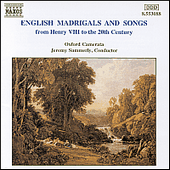
Now, there are mostly comedy acts. As we headed toward the exit, however, we discovered a shop with Renaissance and Medieval games, DVDs, and music CDs. There was a vast selection of CDs featuring different countries, instruments, and forms of music. I could have spent the whole afternoon looking through them. As it was, I bought two: English Madrigals and Songs from Henry VIII to the 20th Century by the Oxford Camerata and Elizabethan Songs and Consort Music by the Rose Consort of Viols with Catherine King, mezzo-soprano. Both please me much.
Then, a week later, I discovered that our local music resale shop was going out of business and everything was 60 percent off. That made already well-priced CDs even less expensive. I restrained myself and only bought five titles:
Classic Masters by Gordon Lightfoot - really early songs three of which were new to me.
Greatest Hits: Shining Like a National Guitar by Paul Simon - a 2000 title that draws from about 25 years of his career.
In the Wind by Peter Paul & Mary - the photo on the back has them singing in front of the Washington Monument at a civil rights march. All the songs are classic PP&M.
Reasons Why by Nickel Creek - my daughter introduced me to this group.
Songs & More Songs by Tom Lehrer - Everyone should hear these outrageously clever political songs from the 1960s.
So, the CD may be endangered in some habitats but it is thriving at our house. Perhaps I will declare the property as a CD preserve. Maybe I can take in a few more CDs. I know some titles I'd still like to have.
I wonder what my next crazy thought will be?
- Many new cars no longer come with CD players.
- I had trouble finding a decent portable CD player to purchase recently.
- Many of the stores selling CDs have closed.
- Big box stores still selling CDs have poor collections.
- Internet downloads are said to be taking over.
While I have had iTunes on my computers for about five years, I have still never purchased anything from the iTunes store. It seems like such a bad precedent to set. Instead, I have loaded many of my CDs into iTunes and from there put some of these onto my iPod. As nice as it is, I have never really listened to this music much except during the short, intense spring gardening season or on a trip. I seem to use the iPod more for listening to free podcasts that I download and audiobooks that I borrow from libraries. I still like my CDs in the car or in my portable player. It just seems the right package to me.
Still, I heard the death bells ringing and thought "I have plenty already. I really never need another CD. I can rotate what I have as long as I am still able to get a player." Enough is enough.
Of course, this is not an absolute pledge. I host the Friday at the Ford concerts at my library. We have a great variety of very talented musicians come, and they almost all bring CDs to sell. I have built a nice collection of CDs of musicians that I have not only heard live but have met and like as people. I know that I will continue to get several every year as long as musicians hand sell their CDs.
So I spoke with one of our library's shelvers the other day. When did he last buy a CD. At sixteen years of age, he has never purchased a CD. I hear a deep resonant dong.
So, what have I done since I had my thought?
 In mid-July, I attended a free Sunday afternoon concert at Cantigny Gardens in Warrenville with friends. (There was a fee to enter the park.) The attraction was Guitarra Azul, a contemporary flamenco-inspired band with two guitars, a bass, and three percussionists. Their original music was really exciting, and I bought two CDs, Mariposa and Oasis. They sound really great in the car. They'd make a great soundtrack to a road trip.
Early in August, Bonnie and I went with friends to the Bristol Renaissance Fair in Bristol, Wisconsin. I was rather disappointed by the lack of live music. There used to be constant music from various minstrels and consorts on several stages all day.

Now, there are mostly comedy acts. As we headed toward the exit, however, we discovered a shop with Renaissance and Medieval games, DVDs, and music CDs. There was a vast selection of CDs featuring different countries, instruments, and forms of music. I could have spent the whole afternoon looking through them. As it was, I bought two: English Madrigals and Songs from Henry VIII to the 20th Century by the Oxford Camerata and Elizabethan Songs and Consort Music by the Rose Consort of Viols with Catherine King, mezzo-soprano. Both please me much.
Then, a week later, I discovered that our local music resale shop was going out of business and everything was 60 percent off. That made already well-priced CDs even less expensive. I restrained myself and only bought five titles:
Classic Masters by Gordon Lightfoot - really early songs three of which were new to me.
Greatest Hits: Shining Like a National Guitar by Paul Simon - a 2000 title that draws from about 25 years of his career.
In the Wind by Peter Paul & Mary - the photo on the back has them singing in front of the Washington Monument at a civil rights march. All the songs are classic PP&M.
Reasons Why by Nickel Creek - my daughter introduced me to this group.
Songs & More Songs by Tom Lehrer - Everyone should hear these outrageously clever political songs from the 1960s.
So, the CD may be endangered in some habitats but it is thriving at our house. Perhaps I will declare the property as a CD preserve. Maybe I can take in a few more CDs. I know some titles I'd still like to have.
I wonder what my next crazy thought will be?
Wednesday, May 04, 2011
Miss Dorothy and Her Bookmobile and Reference Is Dead
 Like many children, Dorothy had aspirations for her future. She would be a librarian with "a fine brick library" in the center of a town square, such as the one she frequented as a child in Massachusetts. She got the library degree and was ready for the work, but then she married and moved to the base of Mount Mitchell in the Blue Ridge Mountains of North Carolina. There was no library and Dorothy was sad, but there were many people who wanted to read. You can read the rest of the true story in the children's book Miss Dorothy and Her Bookmobile by Gloria Houston and illustrated by Susan Condie Lamb.
While Houston's book is intended to teach children about perseverance and the privilege of reading books, it has another lesson that recent library school graduates and even old librarians should contemplate - things often turn out differently than we planned. What we imagined as youths may never come to pass. For example, I always thought that I would eventually work as a reference librarian in a major metropolitan library with a huge room dedicated just to the reference books. I assumed that our economy and society's demand for education and ready knowledge would always grow, and there would always be funds for large subject encyclopedias, huge atlases, and expensive scientific handbooks. With a large team of librarians, I would spend my days finding the answers to difficult questions, such as "What were the religious beliefs of the pharaohs of Egypt?" or "What is the most effective treatment for dengue fever?" I also thought I would have an hour for lunch, during which I would walk home, eat, read the newspaper, and nap for a few minutes. Life would be idyllic.
Needless to say, my life is much different. But it is great the way it turned out for me. I work in a suburban library with educated clients, and with a small but sharp team of librarians, I help people cope with contemporary problems, which may include finding answers to difficult questions about history and science. More often we help people identify toll-free numbers for consumer assistance, get instructions to fix appliances, print tax forms, and request books for the book clubs. We spend countless hours instructing young and old in the use of computers, the Internet, photocopiers, ebook readers, and other technology. Just last week, I had a senior who had been directed by her Internet provider's technical troubleshooter to take her laptop to the closest public library where there would be wireless service and a knowledgeable librarian to help him help her.
Which brings me to "Geeks Are the Future" with its statement "Reference is dead." In saying that reference librarians need to be fired to make room for IT professionals, Eli Neiburger seems to have fallen into the contemporary "either or" trap. Reference or IT? It seems unfortunate thinking to me, especially his feeling a need to attack a traditional library service, one that many of us believe gives added value to our collections of content. It also seems that his position is an "either or" choice of clients. Is he saying that we can only serve the technologically hip and forget the people who are not embracing the online world?
Of course, we need technologically savvy people to design websites and apps, but we still need reference librarians to help clients access the collections. My recent experiences from hiring librarians is there are many people with both sets of skills. They can tweak HTML code and find obscure facts about the Founding Fathers, troubleshoot PCs and find population statistics, explain the use of ereaders and recommend horror fiction to eager readers. These are talented, dedicated people. There is no "either or" choice to make. The key is to get energetic, well-rounded people to serve our libraries and their clients - modern Miss Dorothys with their dreams of being librarians.
Houston, Gloria. Miss Dorothy and Her Bookmobile. 2011. ISBN 9780060291556
Wednesday, October 06, 2010
My New Mac Snow Leopard Edition: 54 Simple Projects to Get You Started by Wallace Wang
 After many years of viewing MacIntosh computers from afar, Bonnie and I bought an iMac this summer. I was won over by the iMac that we have in the teen area at my library. Maybe it was the pretty pictures in the pretty box effect that swayed me, but I also hoped to join the legions who say that they never have any trouble with their computers.
That said, there is a substantial amount to learn to make the switch. Perhaps my study has been made easier by the fact that the Windows operating system is becoming more Mac-like all the time. Also the tutorials that Apple provides are quite helpful. I have adapted pretty well in the last three months. Still, I am learning more by reading My New Mac Snow Leopard Edition: 54 Simple Projects to Get You Started by Wallace Wang. For example, I had noticed the tiny oval in the top right corner of many windows without understanding that it is a toolbar toggle. Liking to reduce clutter on the screen, I will find that helpful. I also had not noticed the slider on some windows that always enlarging the icons that allows seeing documents without actually opening them.
I am a bit confused by the instructions "Hiding and Displaying Windows with Exposé." The author tells me to use the function key F11 to toggle, but on my keyboard F11 increases volume instead. F3 seems to accomplish a similar task, but I am going to move along to other lessons. I rarely have too many windows open so I may not need this feature.
Common keyboard shortcuts are listed on page 100. I could copy these and keep them handy until I learn them. They are also shown to the right of commands in the drop-down menus from the Finder toolbar. Keyboard combinations to type foreign characters, such as é or ø or ß, are found on pages 298 and 299.
There are useful chapters on Internet and computer safety, as well as chapters for new computer users to learn how to use iTunes and manage photos. Most seasoned Mac users will find much they know, but even they show scan the table of contents for a few new ideas. It's a good choice for a public library with a community of computer users - which should be just about any library.
Wang, Wallace. My New Mac Snow Leopard Edition: 54 Simple Projects to Get You Started. No Starch Press, 2009. ISBN 9781593272098
Wednesday, October 21, 2009
Bookshares Making Books Accessible
After the furor over the Kindle 2 having text-to-voice conversion built in, you might have thought that the visually-impaired had no other access to print books and newspapers. The Kindle 2 did simplify the access and widen the offering for people unable to read traditional books, but there are other sources of reading materials. One is Bookshare, a project supported by the U.S. Department of Education Office of Special Education Program. Bookshare provides assistive technology and texts to physically, visually, and learning disabled people. Clients get devices that turn text files into either voice or braille.
A good explanation of how Bookshares works is found at http://www.bookshare.org/about/howBookshareWorks.
The cooperation of publishers makes some titles readily available for the project, while an exception to copyright law makes all titles legal for inclusion. Volunteers buy books, scan them, proof them, and assist distribution. There are many opportunities to help explained on the Bookshares website.
A good explanation of how Bookshares works is found at http://www.bookshare.org/about/howBookshareWorks.
The cooperation of publishers makes some titles readily available for the project, while an exception to copyright law makes all titles legal for inclusion. Volunteers buy books, scan them, proof them, and assist distribution. There are many opportunities to help explained on the Bookshares website.
Wednesday, September 16, 2009
Kindles and Other eBook Readers
Last week I spoke to 48 members of the Indian Prairie Computer Club at the Hinsdale Community Center about ebook readers, the Thomas Ford Kindle program, and the implications for libraries. While most of the audience had heard of Kindles, only a few had actually seen one, and few knew that there were other readers on the market. That other competitors are hinting that they will soon offer readers was news. I spent many of my fifty minutes before the group answering questions about what ebooks are, how the Kindle works, who might use a Kindle, its pricing, and how Amazon sells many bestsellers at a loss.
I explained that my library's Kindle program is a demonstration and not a long-range service. I said that we are not collection building with the Kindle at this point, as ebooks and readers will evolve much in the coming years. As Nicholas Baker says in his New Yorker article of August 3, 2009, "EBook readers are in their infancy." He and other publishing commentators say that Amazon will eventually be hurt by its proprietary format. Once the customer honeymoon with the Kindle fades, the demand will be for readers that can load open ebooks that may be acquired from a variety of free and commercial websites. A color reader is also needed.
Sony is stepping up its effort to compete, but so far its marketing has lagged far behind Amazon's marketing. Barnes & Noble says that it will soon be offering a reader and open ebooks for sale. Google and Apple have hinted that they may step into the ring with readers and books. Google actually has the books already. Apple has iPod iTouches already which can read books using various apps (including Kindle for iPhone and iTouch) that are free or inexpensive.
The Kindle is a pretty well-designed product as it is, but people with visual problems may find the gray on gray hard to read. The electronic ink without backlighting may be environmental, but it may also hold Amazon back. I doubt Amazon will stick to a limited purpose Kindle, as the company sells music, movies, audiobooks, and other media. If Amazon made an iTouch-like product, it could sell all these formats to device owners.
Here are some articles with news about Kindles:
Deahl, Rachael. "The E-Book Price Conundrum," Publishers Weekly, May 11, 2009, p. 4.
Rich, Motoko. "Preparing to Sell E-Books, Google Takes on Amazon." New York Times, June 1, 2009. p. 1.
Milliot, Jim. "Cracks in Amazon's E-book Empire." Publishers Weekly, July 27, 2009. p. 3.
Baker, Nicholas. "A New Page: Can the Kindle Really Improve on the Book?" New Yorker, August 3, 2009.
Arends, Brett. "Kindle in Danger of Becoming Betamax." www.sharebuilder.com August 10, 2009.
"Sony Plans a Kindle Rival with Wireless Downloads." Associated Press, August 25, 2009.
"Sony Wireless E-Book Reader Proves Kindle Was on Target." www.pcworld.com. august 25, 2009.
I explained that my library's Kindle program is a demonstration and not a long-range service. I said that we are not collection building with the Kindle at this point, as ebooks and readers will evolve much in the coming years. As Nicholas Baker says in his New Yorker article of August 3, 2009, "EBook readers are in their infancy." He and other publishing commentators say that Amazon will eventually be hurt by its proprietary format. Once the customer honeymoon with the Kindle fades, the demand will be for readers that can load open ebooks that may be acquired from a variety of free and commercial websites. A color reader is also needed.
Sony is stepping up its effort to compete, but so far its marketing has lagged far behind Amazon's marketing. Barnes & Noble says that it will soon be offering a reader and open ebooks for sale. Google and Apple have hinted that they may step into the ring with readers and books. Google actually has the books already. Apple has iPod iTouches already which can read books using various apps (including Kindle for iPhone and iTouch) that are free or inexpensive.
The Kindle is a pretty well-designed product as it is, but people with visual problems may find the gray on gray hard to read. The electronic ink without backlighting may be environmental, but it may also hold Amazon back. I doubt Amazon will stick to a limited purpose Kindle, as the company sells music, movies, audiobooks, and other media. If Amazon made an iTouch-like product, it could sell all these formats to device owners.
Here are some articles with news about Kindles:
Deahl, Rachael. "The E-Book Price Conundrum," Publishers Weekly, May 11, 2009, p. 4.
Rich, Motoko. "Preparing to Sell E-Books, Google Takes on Amazon." New York Times, June 1, 2009. p. 1.
Milliot, Jim. "Cracks in Amazon's E-book Empire." Publishers Weekly, July 27, 2009. p. 3.
Baker, Nicholas. "A New Page: Can the Kindle Really Improve on the Book?" New Yorker, August 3, 2009.
Arends, Brett. "Kindle in Danger of Becoming Betamax." www.sharebuilder.com August 10, 2009.
"Sony Plans a Kindle Rival with Wireless Downloads." Associated Press, August 25, 2009.
"Sony Wireless E-Book Reader Proves Kindle Was on Target." www.pcworld.com. august 25, 2009.
Wednesday, September 09, 2009
The Suspicious Case of the Email Attachments That Would Not Attach
We had our own little mystery at the Thomas Ford Memorial Library. Many investigators tried their hands at sleuthing before it was solved.
On a Friday a few weeks ago, several of our computer users reported that they could not attach email attachments. Word and WordPerfect documents would not attach to Yahoo mail or to Gmail. Photos could not be attached to Hotmail or uploaded to Flickr. Small PDFs attached but larger ones would not. Staff members who listened to our clients also reported attachment problems. Because major Internet services had recently been interrupted for various reasons, we suspected that the problem was out on the web and decided to just watch the situation. We posted a sign about the problem beside the computer sign-up sheet to alert our clients.
By the next Tuesday, however, the in-building reports escalated, though no pattern had emerged. Some staff reported that they could not attach any files in any email service, while others said they were having no problems. We called nearby libraries to see if they were also having problems, but they were not. We then suspected that we had an internal problem and called the consultants who manage our firewall. The tech guys checked the firewall and also called the Illinois Century Network, our Internet provider. No problems were found. Several techs suggested that our computers might have a widespread virus or other incompatibilities. This was the first time we heard "I've never seen a problem like this." It would not be the last.
With help from Versatile Computer Services, we began checking many of our computers for malware. A few days into our search, nothing had been discovered. The computers seemed clean. The situation, however, had changed. For two days, we could not attach any file to any email service from any computer in the building, except for Sandy's computer, which had no problems. We then discovered Sandy was using Thunderbird, composing her mail off the web and then sending. We tried Microsoft Outlook, which also worked. We had a workaround for staff, but the public computers were still in trouble.
As the search for malware continued, the pattern changed again. JPG, GIF, PDF, TXT, and many other files would now attach, but nothing from Microsoft Office would attach. We brought in wireless laptops. They attached emails easily at other wireless locations but not inside our library. The firewall again became the suspect. It was monitored, updated, and tested, but no problem was found. Then the pattern shifted again, and file attachment failure became nearly universal. "I've never seen a problem like this. It doesn't make sense," we heard from a tech professional for the third or fourth time.
A Versatile consultant then noticed that the dysfunction began before the feed came into the building, so the Internet provider became the suspect again. A tech from the Illinois Century Network assured us that our feed was not filtered or corrupted in any way. Our IP addresses were even changed temporarily to see if that would have an effect, but the problems persisted.
Just when there seemed to be no answer, the Illinois Century Network tech noticed that we had "a dirty T-1 line." When I asked what that was, I learned that it meant there was "noise or interference" (lay terms, no doubt) on the T-1 signal. AT&T was asked to clean the line. The company did, and all our problems went away.
As I look back on the period, I am astounded how tolerant and sympathetic our clients and staff were. We kept them informed about our efforts and arranged for some to visit nearby libraries. Several who asked how the troubleshooting was going offered their own theories. I listened, and later they listened with appreciation as I told them our service was restored. We all like a good mystery solved.
On a Friday a few weeks ago, several of our computer users reported that they could not attach email attachments. Word and WordPerfect documents would not attach to Yahoo mail or to Gmail. Photos could not be attached to Hotmail or uploaded to Flickr. Small PDFs attached but larger ones would not. Staff members who listened to our clients also reported attachment problems. Because major Internet services had recently been interrupted for various reasons, we suspected that the problem was out on the web and decided to just watch the situation. We posted a sign about the problem beside the computer sign-up sheet to alert our clients.
By the next Tuesday, however, the in-building reports escalated, though no pattern had emerged. Some staff reported that they could not attach any files in any email service, while others said they were having no problems. We called nearby libraries to see if they were also having problems, but they were not. We then suspected that we had an internal problem and called the consultants who manage our firewall. The tech guys checked the firewall and also called the Illinois Century Network, our Internet provider. No problems were found. Several techs suggested that our computers might have a widespread virus or other incompatibilities. This was the first time we heard "I've never seen a problem like this." It would not be the last.
With help from Versatile Computer Services, we began checking many of our computers for malware. A few days into our search, nothing had been discovered. The computers seemed clean. The situation, however, had changed. For two days, we could not attach any file to any email service from any computer in the building, except for Sandy's computer, which had no problems. We then discovered Sandy was using Thunderbird, composing her mail off the web and then sending. We tried Microsoft Outlook, which also worked. We had a workaround for staff, but the public computers were still in trouble.
As the search for malware continued, the pattern changed again. JPG, GIF, PDF, TXT, and many other files would now attach, but nothing from Microsoft Office would attach. We brought in wireless laptops. They attached emails easily at other wireless locations but not inside our library. The firewall again became the suspect. It was monitored, updated, and tested, but no problem was found. Then the pattern shifted again, and file attachment failure became nearly universal. "I've never seen a problem like this. It doesn't make sense," we heard from a tech professional for the third or fourth time.
A Versatile consultant then noticed that the dysfunction began before the feed came into the building, so the Internet provider became the suspect again. A tech from the Illinois Century Network assured us that our feed was not filtered or corrupted in any way. Our IP addresses were even changed temporarily to see if that would have an effect, but the problems persisted.
Just when there seemed to be no answer, the Illinois Century Network tech noticed that we had "a dirty T-1 line." When I asked what that was, I learned that it meant there was "noise or interference" (lay terms, no doubt) on the T-1 signal. AT&T was asked to clean the line. The company did, and all our problems went away.
As I look back on the period, I am astounded how tolerant and sympathetic our clients and staff were. We kept them informed about our efforts and arranged for some to visit nearby libraries. Several who asked how the troubleshooting was going offered their own theories. I listened, and later they listened with appreciation as I told them our service was restored. We all like a good mystery solved.
Monday, June 01, 2009
My Geek Chart is Rather Simple
Ricklibrarian's Geek Chart
My Geek Chart as I post it looks a bit like a Y for "Yes" which is a nice thought. It also looks somewhat like an upside down peace symbol. I think it will adjust accoding to my activity.
Thursday, May 28, 2009
Google Web Elements for Feeds on Library Websites
This week's American Libraries Direct includes a story about new Google Elements, saying that it is very easy to add news feeds to websites. Here is a test. It does seem very easy. Instead of taking a basic feed, I typed the keyword "books" into a custom feed box. Most of the news displayed seemed on topic. What do you think?
Watch for a moment and the stories will change.
Here is another using the keyword "library."
Those are pretty broad categories. Here is something more specific: memoirs.
It is very easy. Whether it serves a great purpose is another question.
Watch for a moment and the stories will change.
Here is another using the keyword "library."
Those are pretty broad categories. Here is something more specific: memoirs.
It is very easy. Whether it serves a great purpose is another question.
Thursday, February 19, 2009
Program "How to Manage Your iPod" Big Hit at Thomas Ford
Last night seventeen people attended my presentation "How to Manage Your iPod," which we held in our community room at the Thomas Ford Memorial Library. I had asked attendees to bring their iPods and most did. One gentleman also brought his laptop and repeated for himself everything that I demonstrated about iTunes software. The discussion was lively and and, because of questions, we spent nearly two hours connecting iPods to laptops, downloading podcasts, making playlists, and discussing the merits and limitations of various iPod models.
Most of the people who came had Nanos. There were a couple of Shuffle owners and one man had a second generation Classic working on the original battery. One woman opened her iPod for the first time at the program. I believe that she had gotten it as an incentive from a bank. Several had gotten iPods as Christmas gifts. A few had iPod hand-me-downs from their children who had upgraded to newer or big models. A couple of the attendees may have been in their forties. Everyone else was fifty or older. Two or three were thinking of getting an iPod. The level of experience varied but tended toward little. Everyone was quite interested, and almost everyone contributed to the discussion. Half the group were people I did not recognize as regular library users.
I had several surprises:
Everyone reported that they learned something, whether it be why they should use the lock on their iPod or how to load an audiobook from CDs so that the files stay in order. Because we had queries from people who could not attend this evening, we will probably run the program again next fall or next year. I recommend the topic for other libraries to try as a community program. You might be surprised by the strong interest.
Most of the people who came had Nanos. There were a couple of Shuffle owners and one man had a second generation Classic working on the original battery. One woman opened her iPod for the first time at the program. I believe that she had gotten it as an incentive from a bank. Several had gotten iPods as Christmas gifts. A few had iPod hand-me-downs from their children who had upgraded to newer or big models. A couple of the attendees may have been in their forties. Everyone else was fifty or older. Two or three were thinking of getting an iPod. The level of experience varied but tended toward little. Everyone was quite interested, and almost everyone contributed to the discussion. Half the group were people I did not recognize as regular library users.
I had several surprises:
- I expected audiobooks to be a primary interest with the group because we promote iPod books that we circulate from the reference desk. Music, however, was the primary interest of this group. Only a couple had borrowed our iPods for the audiobooks. Several did express interest in the audiobooks once they had heard of them.
- No one had listened to a podcast. Most had seen the folder on the iTunes software but did not know what it meant. The group was surprised to learn that podcasts are free to download.
- I had a slideshow to use as an introduction but I hardly used it, as questions and discussions started right away. We spent most of the time actively involved with iPods and iTunes.
Everyone reported that they learned something, whether it be why they should use the lock on their iPod or how to load an audiobook from CDs so that the files stay in order. Because we had queries from people who could not attend this evening, we will probably run the program again next fall or next year. I recommend the topic for other libraries to try as a community program. You might be surprised by the strong interest.
Saturday, April 12, 2008
Library Books from a Vending Machine: Go Where They Are
In yesterday's Library Link of the Day is an article from China about a vending machine for library materials. It holds up to fours hundred books, CDs or DVDs on three conveyor belts behind glass. Clients can use their cards to borrow items that drop into a drawer. If they do not have a card, they can make them on the spot. The inboard catalog links back to the Shenzhen Library which has 2.17 million items for which reserves can be placed. Clients are notified to return to the vending machine when items are available. Items may also return the items to the machine. RFID is used in the checkout and return processes.
This seems an interesting way for the library to go to the client. There might be an interesting number of applications we could make in both our urban and rural communities. In our suburb, it might be interesting to have one at the commuter rail station. We could probably stock it with donated popular reading and hardly touch the main collection. Time strapped commuters might be grateful!
This seems an interesting way for the library to go to the client. There might be an interesting number of applications we could make in both our urban and rural communities. In our suburb, it might be interesting to have one at the commuter rail station. We could probably stock it with donated popular reading and hardly touch the main collection. Time strapped commuters might be grateful!
Friday, November 09, 2007
Library Technical Competencies: What Do We Have? What Do We Teach? What Do I Hire?
I am posting this from the Reagan County Public Library in Big Lake, Texas, where I will be for the next week.
Zone One Reference Librarians met a couple of weeks ago to discuss computers in libraries and staff technical training. In all our libraries we have computers for staff and clients to use. Most of us also have web sites, and many offer wireless Internet. Our staffs have developed many technical skills in the past ten to fifteen years. No one has totally non-technical staff members anymore.
Technology continues to change quickly, and libraries want to use these developments to better serve clients. This requires us to have well-trained staffs both in public service and working behind the scenes. How to get everyone on a staff up to par on the latest skills is a great challenge. In many cases, some one lags behind, resulting in varying public service. You know your library has a problem when some fairly common client requests are regularly written up and referred to the more savvy staff.
Sarah Houghton-Jan's points out a process to improve staff competencies in her technology report. What she leaves for the reader to discover is the specific competencies needed in her library.
During our conversation, I thought of one way to start the specific list competencies for my library. All staff members in public service can log every technical skill used for several days. These logs can also record when a skill is missing. Before I ask anyone to do this, I thought I should try it out myself.
For two days I kept a running log of technical tasks, including time in public and behind the scenes in support of our library mission. Here is what I listed.
· Turn on public PCs
· Turn off PC security to load software
· Load Firefox browser update
· Troubleshoot printing on the microfilm reader printer
· Read and write email
· Edit online calendar
· Set up projector and laptop for a meeting
· Add to the staff wiki
· Load paper into the copier
· Open an email attachment and save it
· Set up an Excel spreadsheet
· Send document to remote printer
· Add book titles to an online shopping basket
· Post on the staff blog
· Teach client how to create a PIN for the online catalog
· Troubleshoot monitor
· Resize photocopies for a client
· Cut and paste into Word document for our newsletter
· Search remote databases to answer reference questions
· Troubleshoot email with client
· Use Dreamweaver to update library web pages
· Load web pages onto the remote server
· Place holds for clients
· Explain "reply to all" to a client
· Search library catalog
· Load an iPod for a client
As I look at this, there are many skills that I did not have fifteen years ago. It was not hard to learn them, but I can remember times when I was baffled by something that ended up being easy. Luckily for me, my library has always sent staff to classes, workshops, and conferences. The knowledge gained at outside training has laid the foundation of my technical skills. In our meeting, we talked about our libraries sending more staff out for training more often, but we recognized this still is not enough. Besides, we need our staffs in our buildings most of the time.
One of the librarian at our zone meeting told about how her library's technical trainer, a person hired part time to do classes for the public on mostly Internet topics, gives some classes for staff as well. These are helpful but do not meet the need for current awareness of late breaking technical developments. On her own the trainer started sending occasional tech briefs to staff, alerting them to news. We all agreed that she is the kind of person we all need in our libraries.
This reminds me that my library's needs a new reference librarian. I have learned much from and been encouraged to try new things by the last two librarians in this position. Much of this transfer of knowledge happened in our daily unplanned conversations. For this position, we have a brand new job description that more than ever lays out skill sets that are required and activities that will be performed. Teaching other staff members is in the mix. What it does not say is "Will teach the old guy some new tricks." Maybe it should. Teaching the supervisor is important, too.
As important as the formal training and the daily conversations are, I realize further that I am also somewhat self-taught. I think all the best technical minds are. They play with the new technology fearlessly, learning what it will and will not do. They do not wait for their libraries to arrange training. Self initiative needs to be written into all of our job descriptions, too.
For more information on library technical competencies, look at Cultivating Tech-Saavy Library Staff, one of Sarah's presentations as reported by Chad at Library Voice.
Zone One Reference Librarians met a couple of weeks ago to discuss computers in libraries and staff technical training. In all our libraries we have computers for staff and clients to use. Most of us also have web sites, and many offer wireless Internet. Our staffs have developed many technical skills in the past ten to fifteen years. No one has totally non-technical staff members anymore.
Technology continues to change quickly, and libraries want to use these developments to better serve clients. This requires us to have well-trained staffs both in public service and working behind the scenes. How to get everyone on a staff up to par on the latest skills is a great challenge. In many cases, some one lags behind, resulting in varying public service. You know your library has a problem when some fairly common client requests are regularly written up and referred to the more savvy staff.
Sarah Houghton-Jan's points out a process to improve staff competencies in her technology report. What she leaves for the reader to discover is the specific competencies needed in her library.
During our conversation, I thought of one way to start the specific list competencies for my library. All staff members in public service can log every technical skill used for several days. These logs can also record when a skill is missing. Before I ask anyone to do this, I thought I should try it out myself.
For two days I kept a running log of technical tasks, including time in public and behind the scenes in support of our library mission. Here is what I listed.
· Turn on public PCs
· Turn off PC security to load software
· Load Firefox browser update
· Troubleshoot printing on the microfilm reader printer
· Read and write email
· Edit online calendar
· Set up projector and laptop for a meeting
· Add to the staff wiki
· Load paper into the copier
· Open an email attachment and save it
· Set up an Excel spreadsheet
· Send document to remote printer
· Add book titles to an online shopping basket
· Post on the staff blog
· Teach client how to create a PIN for the online catalog
· Troubleshoot monitor
· Resize photocopies for a client
· Cut and paste into Word document for our newsletter
· Search remote databases to answer reference questions
· Troubleshoot email with client
· Use Dreamweaver to update library web pages
· Load web pages onto the remote server
· Place holds for clients
· Explain "reply to all" to a client
· Search library catalog
· Load an iPod for a client
As I look at this, there are many skills that I did not have fifteen years ago. It was not hard to learn them, but I can remember times when I was baffled by something that ended up being easy. Luckily for me, my library has always sent staff to classes, workshops, and conferences. The knowledge gained at outside training has laid the foundation of my technical skills. In our meeting, we talked about our libraries sending more staff out for training more often, but we recognized this still is not enough. Besides, we need our staffs in our buildings most of the time.
One of the librarian at our zone meeting told about how her library's technical trainer, a person hired part time to do classes for the public on mostly Internet topics, gives some classes for staff as well. These are helpful but do not meet the need for current awareness of late breaking technical developments. On her own the trainer started sending occasional tech briefs to staff, alerting them to news. We all agreed that she is the kind of person we all need in our libraries.
This reminds me that my library's needs a new reference librarian. I have learned much from and been encouraged to try new things by the last two librarians in this position. Much of this transfer of knowledge happened in our daily unplanned conversations. For this position, we have a brand new job description that more than ever lays out skill sets that are required and activities that will be performed. Teaching other staff members is in the mix. What it does not say is "Will teach the old guy some new tricks." Maybe it should. Teaching the supervisor is important, too.
As important as the formal training and the daily conversations are, I realize further that I am also somewhat self-taught. I think all the best technical minds are. They play with the new technology fearlessly, learning what it will and will not do. They do not wait for their libraries to arrange training. Self initiative needs to be written into all of our job descriptions, too.
For more information on library technical competencies, look at Cultivating Tech-Saavy Library Staff, one of Sarah's presentations as reported by Chad at Library Voice.
Wednesday, April 18, 2007
CIL2007: Computers in Libraries
The bloggers at Computers in Libraries 2007 are busy, so you do not have to be there to learn from the presentations. Here are a few items so far:
Web 2.0 and What It Means to Libraries - The Shifted Librarian seems to transcribe almost every word of presentations.
Information Design for the New Web - Ellyssa Kroski's pre-presentation blog and comments by Nicole Engard.
Weblog Zonder Haast - Follow the conference in Dutch.
Alternative and Customized Search Engines - Mary Ellen Bates lists engines to try, as reported by Caroline (last name unknown).
Computers in Libraries cartoons - Flickr set by Madinkbeard.
You can find more reports by searching for "CIL2007" at Technorati.
Web 2.0 and What It Means to Libraries - The Shifted Librarian seems to transcribe almost every word of presentations.
Information Design for the New Web - Ellyssa Kroski's pre-presentation blog and comments by Nicole Engard.
Weblog Zonder Haast - Follow the conference in Dutch.
Alternative and Customized Search Engines - Mary Ellen Bates lists engines to try, as reported by Caroline (last name unknown).
Computers in Libraries cartoons - Flickr set by Madinkbeard.
You can find more reports by searching for "CIL2007" at Technorati.
Thursday, November 09, 2006
Old and Slow and Yet Still Working Well
Because I am old and slow, I am just now addressing an item that I read in the August issue of American Libraries. I do not remember seeing anyone else commenting on this. As a rule people blog about blogs and what is the print journals is not getting as much debate, it seems to me. Still, I keep thinking about the last two paragraphs of Joseph Janes' "Internet Librarian" column "At Arm's Length" on page 76 of that issue.
The next to the last paragraph:
"People who entered the profession some time ago started out thinking about using technology to connect to something - databases, catalogs, resources - and such early experiences often linger. The new kids, however, often began using computer tools to connect to each other. That will undoubtedly color and broaden their vision, and they will think of things differently than we of previous generations."
I think Janes is right, but I think there were signs of the using computer technology for communicating farther back than we sometimes recognize. I remember back in the mid-1970s having one of my Computer Science 301 classes at the University of Texas meet at one of the computing centers in the bowels of the UT Tower. We were there to see one of the grand applications of the university computer. I do not really remember what the point of the demonstration was. There was a large stack of punch cards set into a tray. When started, the cards were quickly fed through a reader and something was shown on a monochrome monitor. What I do remember is that before the demonstration the computer operator (a graduate student) had some preparations to make with another staff member in another building where another part of the computer resided. He typed on a keyboard and his words appeared on the monitor. Then a message from the other operator appeared. The two began to chat, told some jokes, and made an appointment for lunch. I was impressed. I had never seen anyone converse via computer!
I went into libraries instead of computer science and did not see anyone chatting online again for the next twenty years. Still, the idea of using technology for connecting to individuals was out there early.
Here is Jane's last paragraph:
"Of course, we oldsters, who are generally the ones running things, know that personal connections are important. Yet we're perhaps unable to envision how that might fit in an increasingly digitally mediated world. Maybe we should just get out of their way and let them do their thing ... but that's another story."
What does Janes mean by "get out of their way"? He only had an inch of column left and likes ending columns with open-ended thoughts. It can be taken several ways. First, it could just mean that "oldsters" should just remove barriers that are holding back youthful innovation. That is pretty easy to agree with. He could, however, mean really get out of the way, far away. Pass the reins, turn over the keys, leave the building, retire. To this, I say "No."
I attended Internet Librarian 2006 a few weeks ago and there were many "oldsters" there. They may have been more in the audience than in the team of presenters, but they were there taking notes, asking questions, and testifying to the glory of Library 2.0. They are partnering with their younger librarians and taking up the path instead of "getting out of the way."
Youth does not have a monopoly on good ideas for the use of technology. The "oldsters" should stick around for a while.
The next to the last paragraph:
"People who entered the profession some time ago started out thinking about using technology to connect to something - databases, catalogs, resources - and such early experiences often linger. The new kids, however, often began using computer tools to connect to each other. That will undoubtedly color and broaden their vision, and they will think of things differently than we of previous generations."
I think Janes is right, but I think there were signs of the using computer technology for communicating farther back than we sometimes recognize. I remember back in the mid-1970s having one of my Computer Science 301 classes at the University of Texas meet at one of the computing centers in the bowels of the UT Tower. We were there to see one of the grand applications of the university computer. I do not really remember what the point of the demonstration was. There was a large stack of punch cards set into a tray. When started, the cards were quickly fed through a reader and something was shown on a monochrome monitor. What I do remember is that before the demonstration the computer operator (a graduate student) had some preparations to make with another staff member in another building where another part of the computer resided. He typed on a keyboard and his words appeared on the monitor. Then a message from the other operator appeared. The two began to chat, told some jokes, and made an appointment for lunch. I was impressed. I had never seen anyone converse via computer!
I went into libraries instead of computer science and did not see anyone chatting online again for the next twenty years. Still, the idea of using technology for connecting to individuals was out there early.
Here is Jane's last paragraph:
"Of course, we oldsters, who are generally the ones running things, know that personal connections are important. Yet we're perhaps unable to envision how that might fit in an increasingly digitally mediated world. Maybe we should just get out of their way and let them do their thing ... but that's another story."
What does Janes mean by "get out of their way"? He only had an inch of column left and likes ending columns with open-ended thoughts. It can be taken several ways. First, it could just mean that "oldsters" should just remove barriers that are holding back youthful innovation. That is pretty easy to agree with. He could, however, mean really get out of the way, far away. Pass the reins, turn over the keys, leave the building, retire. To this, I say "No."
I attended Internet Librarian 2006 a few weeks ago and there were many "oldsters" there. They may have been more in the audience than in the team of presenters, but they were there taking notes, asking questions, and testifying to the glory of Library 2.0. They are partnering with their younger librarians and taking up the path instead of "getting out of the way."
Youth does not have a monopoly on good ideas for the use of technology. The "oldsters" should stick around for a while.
Tuesday, October 24, 2006
Cultivating Tech-Savvy Library Staff by Sarah Houghton-Jan and David Lee King
Cultivating Tech-Savvy Library Staff was one of the most useful programs I have attended at Internet Librarian. Sarah Houghton-Jan of San Mateo County Library said one of the most important things that I have heard said. It expresses a goal that all libraries that I know have trouble achieving. It is that all public service staff in libraries should meet technical competencies so all library users get the same high level of service. It should not matter who is on duty.
What libraries live up to this goal? Few, I suspect. Sarah's message is somewhat tough, but it is not unreasonable. She is currently writing a book on the topic and has much advice for libraries trying to meet a high standard for user services.
Central to Sarah's message is conducting a competencies evaluation, which can be done for an entire library or by department. The idea is for the staff to determine what skills are needed by all the staff for everyday service, list the skills, and then address bringing all the members of the staff up to standard. This does not mean that every member of the staff has to have every technical skill known to librarianship. The challenge is to have every staff member competent in the skill necessary to serving the everyday needs of library users.
Sarah said much more. In her own post on the program, she links to all of her slides and to a post by Chad Boeninger that outlines most of what she said in the program.
David Lee King presented the second part of the program. He listed 10 ways to keep techies happy.
1. Techies are part of the team. Invite them to important planning discussions that involve technology. They might have important input.
2. Techies need toys and time to play to learn new skills and generate new ideas.
3. Everyone must learn basics. Do not call a techie to replug an electrical cord.
4. Give the techie a time line for your project.
5. If more than one library patron asks for something, it is important to have.
6. Have adequate technical staff.
7. Tell the techie when you do not understand. Don't pretend and then complain about how the techie can't explain the technology.
8. Pay the techie well.
9. Budget appropriately for technology.
10. We are all geeks at something, whether that is with computers, reference books, or cataloguing. Treat the geek respectfully.
Cultivating Tech-Savvy Library Staff was a content packed 45 minutes.
il2006
What libraries live up to this goal? Few, I suspect. Sarah's message is somewhat tough, but it is not unreasonable. She is currently writing a book on the topic and has much advice for libraries trying to meet a high standard for user services.
Central to Sarah's message is conducting a competencies evaluation, which can be done for an entire library or by department. The idea is for the staff to determine what skills are needed by all the staff for everyday service, list the skills, and then address bringing all the members of the staff up to standard. This does not mean that every member of the staff has to have every technical skill known to librarianship. The challenge is to have every staff member competent in the skill necessary to serving the everyday needs of library users.
Sarah said much more. In her own post on the program, she links to all of her slides and to a post by Chad Boeninger that outlines most of what she said in the program.
David Lee King presented the second part of the program. He listed 10 ways to keep techies happy.
1. Techies are part of the team. Invite them to important planning discussions that involve technology. They might have important input.
2. Techies need toys and time to play to learn new skills and generate new ideas.
3. Everyone must learn basics. Do not call a techie to replug an electrical cord.
4. Give the techie a time line for your project.
5. If more than one library patron asks for something, it is important to have.
6. Have adequate technical staff.
7. Tell the techie when you do not understand. Don't pretend and then complain about how the techie can't explain the technology.
8. Pay the techie well.
9. Budget appropriately for technology.
10. We are all geeks at something, whether that is with computers, reference books, or cataloguing. Treat the geek respectfully.
Cultivating Tech-Savvy Library Staff was a content packed 45 minutes.
il2006
Subscribe to:
Posts (Atom)


